Tive Mobile App
Translating a Complex Web Platform into a Mobile Experience
Translating a Complex Web Platform into a Mobile Experience
overview
What is heck is Tive?
Tive is a supply-chain visibility company that provides real-time shipment tracking for logistics teams worldwide. Their web platform delivers critical data – location, temperature, humidity, shock, route deviations, and alerts – to help users keep shipments safe and respond quickly when something goes wrong.
However, despite the strength of their web platform, Tive did not have a mobile experience. For a product built around real-time visibility, this created a major gap:
Users often needed quick access while traveling, working on the warehouse floor, or managing shipments away from their desk.
The lack of a mobile interface made fast, in-the-moment decisions more difficult than necessary.
Core functionality wasn’t easily accessible in contexts where mobility is essential.
Tive is a supply-chain visibility company that provides real-time shipment tracking for logistics teams worldwide. Their web platform delivers critical data – location, temperature, humidity, shock, route deviations, and alerts – to help users keep shipments safe and respond quickly when something goes wrong.
However, despite the strength of their web platform, Tive did not have a mobile experience. For a product built around real-time visibility, this created a major gap:
Users often needed quick access while traveling, working on the warehouse floor, or managing shipments away from their desk.
The lack of a mobile interface made fast, in-the-moment decisions more difficult than necessary.
Core functionality wasn’t easily accessible in contexts where mobility is essential.
Timeline
48 Hours
My Role
Volunteer Work
project goals
Core Objectives
I focused on bringing two of the platform’s most important workflows into a mobile environment:
Creating a Shipment
Design a streamlined mobile flow that allows users to quickly create and configure a shipment, assign trackers, and input key shipment details while minimizing friction and reducing the likelihood of errors.
Monitoring Active Shipments
Provide an intuitive way for users to quickly view and explore active shipments, understand their status at a glance, and access detailed tracking information when issues arise.
By focusing on these two core workflows, the goal of the project was to demonstrate how Tive’s real-time visibility could extend beyond the desktop and become a fast, reliable tool for teams managing shipments in dynamic, real-world environments.
Goals
Create a fast, mobile-friendly workflow for creating shipments
Design an intuitive mobile experience for monitoring active shipments
Establish a scalable mobile design system
overview
Overview
Tive is a supply-chain visibility company that provides real-time shipment tracking for logistics teams worldwide. Their web platform delivers critical data – location, temperature, humidity, shock, route deviations, and alerts – to help users keep shipments safe and respond quickly when something goes wrong.
However, despite the strength of their web platform, Tive did not have a mobile experience. For a product built around real-time visibility, this created a major gap:
Users often needed quick access while traveling, working on the warehouse floor, or managing shipments away from their desk.
The lack of a mobile interface made fast, in-the-moment decisions more difficult than necessary.
Core functionality wasn’t easily accessible in contexts where mobility is essential.
Timeline
48 Hour
My Role
Volunteer Work
solution
Create a Shipment
Creating a shipment is one of the most critical actions in the Tive platform. On desktop, the process includes numerous fields and configuration options, allowing logistics teams to define tracker assignments, monitoring settings, and shipment details before deployment.
The challenge was to redesign the experience for speed and clarity while preserving the accuracy required for operational logistics. To address this, the mobile flow was restructured into a simplified, step-based process that guides users through shipment creation in manageable stages. Related inputs were grouped together, visual hierarchy was strengthened to highlight the most important fields, and the interface was optimized for quick entry in environments where users may be moving between tasks.
project goals
Core Objectives
I focused on bringing two of the platform’s most important workflows into a mobile environment:
Creating a Shipment
Design a streamlined mobile flow that allows users to quickly create and configure a shipment, assign trackers, and input key shipment details while minimizing friction and reducing the likelihood of errors.
Monitoring Active Shipments
Provide an intuitive way for users to quickly view and explore active shipments, understand their status at a glance, and access detailed tracking information when issues arise.
By focusing on these two core workflows, the goal of the project was to demonstrate how Tive’s real-time visibility could extend beyond the desktop and become a fast, reliable tool for teams managing shipments in dynamic, real-world environments.
Goals
Create a fast, mobile-friendly workflow for creating shipments
Design an intuitive mobile experience for monitoring active shipments
Establish a scalable mobile design system
Monitor Shipments
In the desktop experience, this view relies on a landscape layout that displays shipment details alongside a large world map for geographic context. Translating this design to mobile introduced a challenge, as the original interface depended on horizontal screen space to show both the shipment list and map simultaneously — something that is not practical on smaller mobile screens.
To solve this, the mobile interface prioritizes shipment information while introducing a persistent map button that allows users to quickly toggle into a map view when geographic context is needed. This approach keeps the primary interface focused on actionable shipment data while still providing fast access to spatial tracking.
solution
Create a Shipment
Creating a shipment is one of the most critical actions in the Tive platform. On desktop, the process includes numerous fields and configuration options, allowing logistics teams to define tracker assignments, monitoring settings, and shipment details before deployment.
The challenge was to redesign the experience for speed and clarity while preserving the accuracy required for operational logistics. To address this, the mobile flow was restructured into a simplified, step-based process that guides users through shipment creation in manageable stages. Related inputs were grouped together, visual hierarchy was strengthened to highlight the most important fields, and the interface was optimized for quick entry in environments where users may be moving between tasks.
reflection
What I Learned
Designing for Context Matters as Much as Interface
This project reinforced that mobile design isn’t simply about shrinking a desktop interface. The environments in which users interact with mobile products are fundamentally different. Logistics teams often access shipment data while traveling, working on warehouse floors, or responding to urgent issues in the field. Designing for mobile required prioritizing speed, clarity, and quick decision-making over information density.
Focus Creates Stronger MVP Concepts
Working within a 48-hour timeframe taught me the importance of defining a focused scope when exploring new product concepts. Rather than attempting to recreate the entire desktop platform, concentrating on two core workflows — creating shipments and monitoring active shipments — made it possible to design a meaningful mobile experience while still demonstrating the product’s value.
Monitor Shipments
In the desktop experience, this view relies on a landscape layout that displays shipment details alongside a large world map for geographic context. Translating this design to mobile introduced a challenge, as the original interface depended on horizontal screen space to show both the shipment list and map simultaneously — something that is not practical on smaller mobile screens.
To solve this, the mobile interface prioritizes shipment information while introducing a persistent map button that allows users to quickly toggle into a map view when geographic context is needed. This approach keeps the primary interface focused on actionable shipment data while still providing fast access to spatial tracking.
design system
A System for Growth
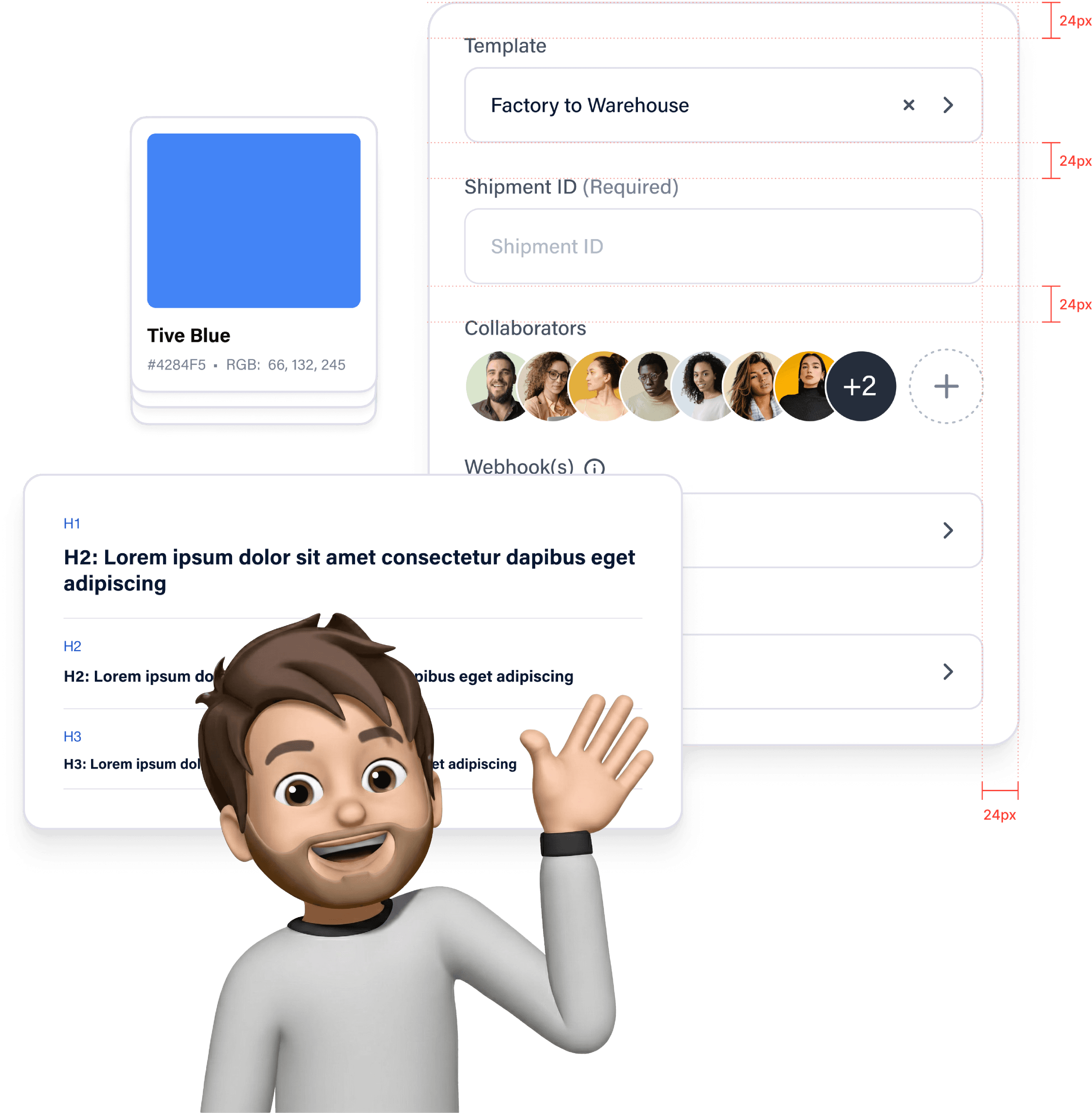
Anticipating Tive’s long-term mobile roadmap, I developed a mobile design system to act as a foundation for their future growth. By defining clear rules for components and layout, I ensured the mobile experience could scale smoothly, allowing them to build new features that feel like a natural part of the existing app.
reflection
What I Learned
Designing for Context Matters as Much as Interface
This project reinforced that mobile design isn’t simply about shrinking a desktop interface. The environments in which users interact with mobile products are fundamentally different. Logistics teams often access shipment data while traveling, working on warehouse floors, or responding to urgent issues in the field. Designing for mobile required prioritizing speed, clarity, and quick decision-making over information density.
Focus Creates Stronger MVP Concepts
Working within a 48-hour timeframe taught me the importance of defining a focused scope when exploring new product concepts. Rather than attempting to recreate the entire desktop platform, concentrating on two core workflows — creating shipments and monitoring active shipments — made it possible to design a meaningful mobile experience while still demonstrating the product’s value.
work

say hello
i know you won't, but
feel free to say what's up!
i know you won't, but feel free to say what's up!

work
Next Project
design system
A System for Growth
Anticipating Tive’s long-term mobile roadmap, I developed a mobile design system to act as a foundation for their future growth. By defining clear rules for components and layout, I ensured the mobile experience could scale smoothly, allowing them to build new features that feel like a natural part of the existing app.